To set up and manage your Telegram bot using the purchased license, follow these steps:
Purchase License:
First, enter the license management bot and use the "Buy Bot" button to purchase your license.
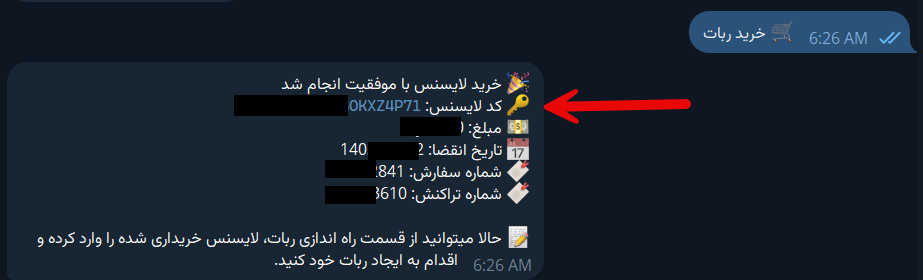
Setting Up the Bot:
Click on the "Set Up Bot" button and enter the purchased license code.
Enter Required Information:
After entering the license code, the bot will request the following information:
- Admin Bot Token:
Example: ABCdEfGhIjKlMnOpQrStUvWxYz1234567890 - User Bot Token:
Example: ABCdEfGhIjKlMnOpQrStUvWxYz1234567890 - Numeric ID(s) of Admin(s):
Example: 123456789
If your bot has multiple admins, you can separate their numeric IDs as shown below.
Example: 123456789,12131415
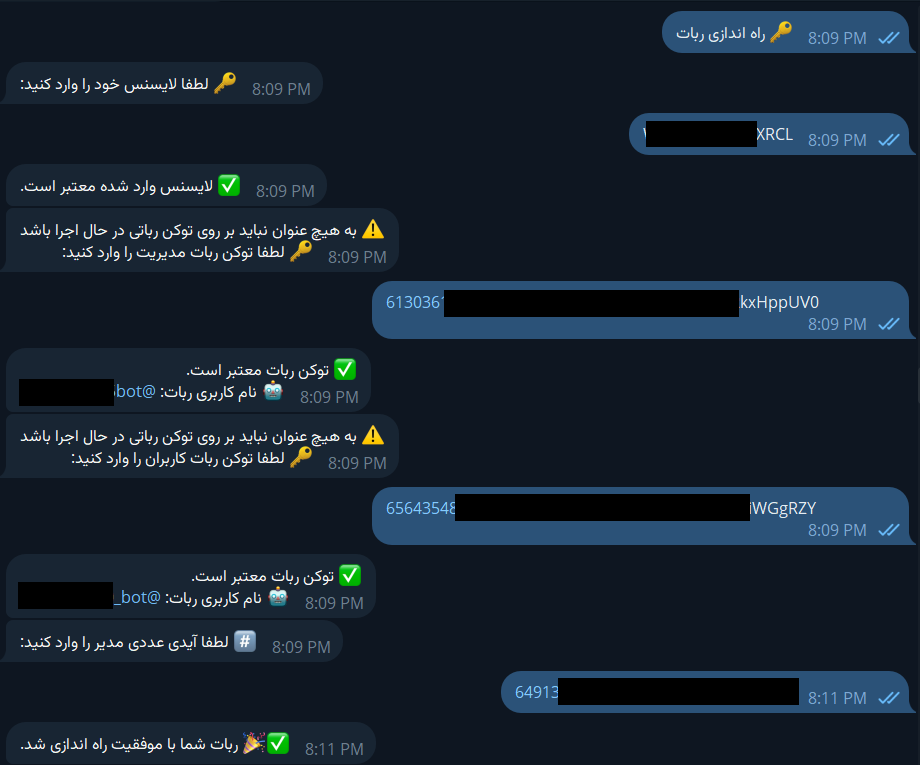
Completion:
After entering the information and receiving a success message, your bot has been successfully set up.